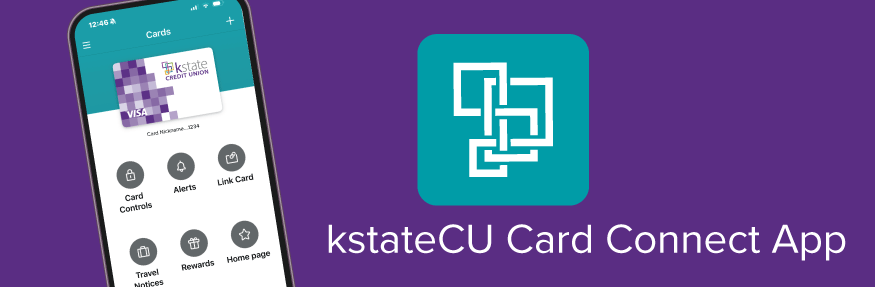
kstateCU Card Connect is an application you can download on your mobile device to utilize value added features for your kstate CREDIT UNION debit and credit card. This app is used in addition to our main mobile app where you view transactions, balances, card controls, etc.
Find the kstateCU Card Connect app for your mobile device here:


FEATURES INCLUDE:
-
Add/activate your card(s)
-
Digital issuance in case of an emergency
-
Manage your card(s) and change your PIN
-
Set Travel Notices 24/7
-
Card Controls – suspend card, set transaction limit, restrict transaction
-
Set alert notifications for transaction amounts, card not present, international, etc.
-
Link card(s) to mobile wallet
Downloading the App & Setting up your Cards
-
Activate your debit card by calling 844-432-3603 if you haven't already.
-
Install the kstateCU Card Connect app on your phone from the Google Play Store (for android) and the App Store (for Apple) depending on your device type.
-
Open the app and enter your card number and expiration
-
Enter your name, Email and create Login credentials...Username & Password
-
Read and accept the terms and conditions
-
There will be a verification process using the email associated with your debit card
The main page buttons
CARD CONTROLS: Turn card on and off, set transaction limits or restrict transactions.
ALERTS: You can set alerts for many items including, transaction amounts, card not present, international, declined, gas station purchases, ATM withdrawals and when a credit is posted to your account. These alerts can be sent via email, text message or push notifications.
LINK CARD: Assists you with linking your card to a mobile wallet on your device.
TRAVEL NOTICES: Indicate when you will be traveling and using your cards to assist in recognizing that your transactions away from your hometown as legitimate.
HOME PAGE: Links you to our home page at kstatecu.com.
MANAGE CARD: Review card number, card details, manage your PIN and delete a card from the app.